Back around April of 2021, I moved from my SonicWall TZ205W to pfSense running on a whitebox “router” chassis (see https://blog.pelleys.com/?p=652). This lasted for some time until that chassis started having some issues I upgraded and in May 2023 to a Netgate 6100 (see https://blog.pelleys.com/?p=988). However, ever since I started in the Ubiquiti ecosystem with a UniFi AP Lite back in February 2019, I liked the full ecosystem but on the firewall side UniFi “just didn’t have it”. It gave a nice single pane of glass but didn’t have the full capabilities of a “proper” firewall.
All that started to changed in December 2024 with the release of UniFI Network v.9 and by the end of 2025 UniFi Network v.10 seemed to have finally “hit it.” Then Ubiquiti came out with the UniFi Cloud Gateway (UCG) Fiber (damn… I keep wanting to spell that the correct way: FIBRE). As some YouTubers have ask: Who is this made for? I mean, the UniFi Dream Machine (UDM) Pro Max and the UniFi UCG Fiber can both basically push full IDS/IPS packets at the same rate. The UDM Pro Max is made for more clients, has more ports, has two internal HDD/SDD drives v. a single NVMe. But, the UCG Fiber has a more modern Quad-core ARM Cortex-A73 at 2.2 GHz while the UDM Prox mas has an older Quad-core ARM Cortex-A57 at 2.0 GHz. Plus you have the price difference: UDM Pro Max is CDN$799 as opposed to the UCG Fibre at CDN$379 (as of January 31, 2026; RAM, etc. pricing increases will likely push this – much? – higher).
So, with that in mind, I decided that I would give myself for Christmas (I think I was good enough this year 😊) a UCG Fiber. The UCG would also let migrate from my self-hosted UniFi network installation. A note on this: one of my biggest concerns in moving pfSense to UCG was impacing (a) my existing switch configurations and vlans and (b) working through re-creating my firewall rules without
inadvertently exposing my network (more on my approach below).
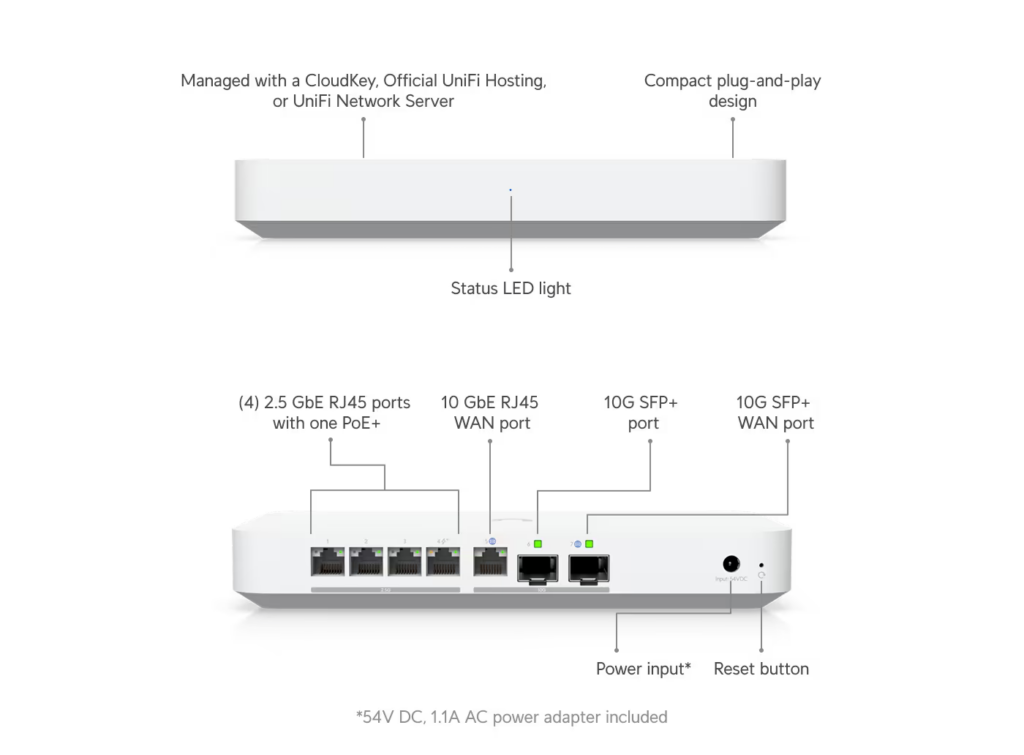
With great expectation, I awaited Black Friday. An low and behold, the UCG Fiber was one sale… BUT, it wasn’t. It was UXG Fiber. All the same capabilities as the UCG Fiber but without UniFi network built in (or the ability to have internal UniFi Protect storage). The price was right at CDN$279, so I clicked “Place Order.” What the hell, I have experience setting up the self-hosted UniFi Network…
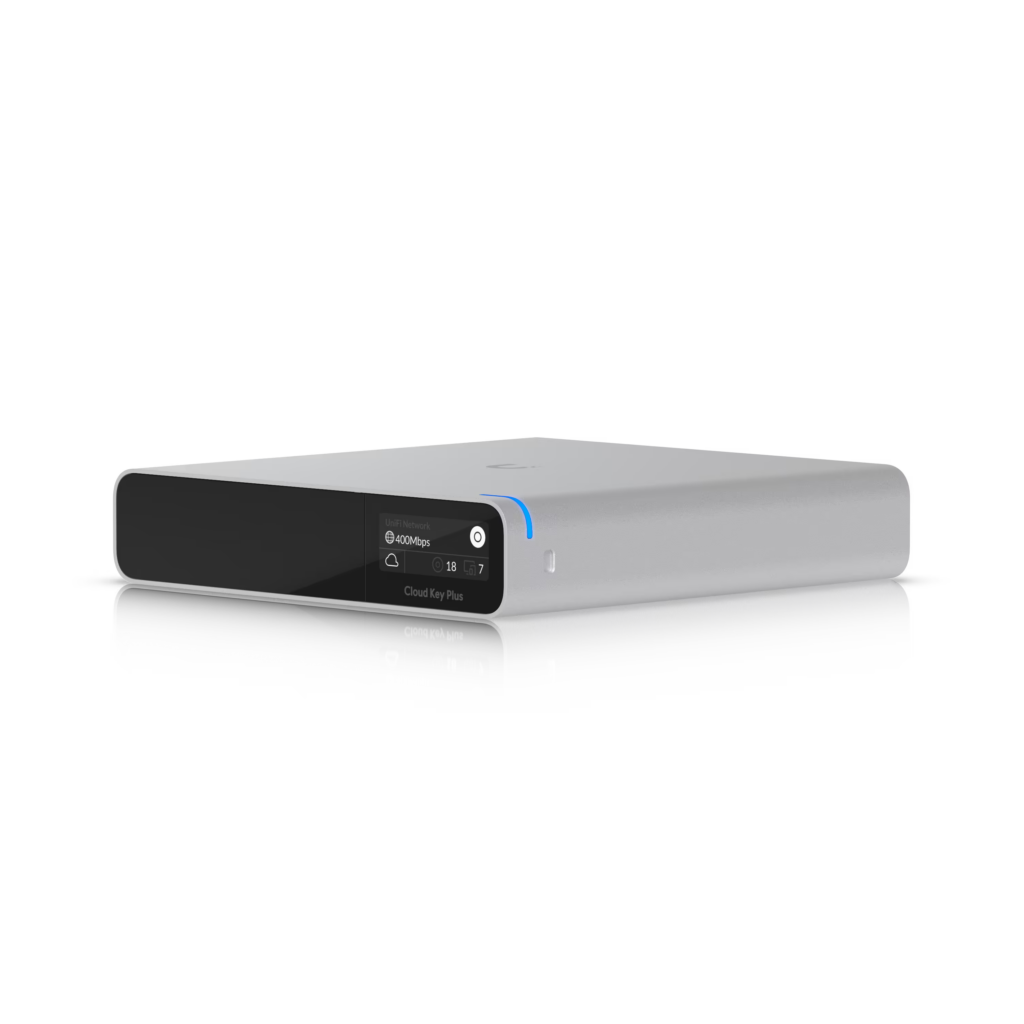
Then, second thoughts came around. While I could set up a VM on my laptop, configure a UniFi Network controller, import the pre-existing configuration, update it, add the required firewall rules, change the gateway from 3rd party to the UXG, etc. doubts kept creeping in. Then I remembered that Ubiquiti has a solution: the CloudKey Gen2 Plus (UCK). From the first AP Lite, the CloudKey has come to mind more than once as it would remove the need for Proxmox to be up to ensure that the UniFi Network was up. But, I kept returning to good enough is good enough. This time, push came to shove and I ordered a CloudKey Gen2 Plus (with the 1TB SSD) as an early birthday present. One of these days I might buy a UniFi camera or two, so there is that… Maybe some day…
Anyway, with my UXG Fiber and CloudKey Gen2 Plus I began to plan my migration. With lots of web searches, posting to forums, etc. I did not have what I considered a good approach. With that in mind, my approach is below. I suspect that it will also work with setting up a self-hosted UniFi Network controller as well.
- Back up and download your configuration from your self-hosted controller.
- Plug your computer into one of the LAN ports on the UXG (I reserved port 4 which has PoE and would power the UCK which does not come with a power source, not that it was an issue in my case).
- This may be optional but as I do not use the 192.168.1.0/24 network (and my gateways are always 254 for… reasons), I needed to change the LAN settings to my “core” network subnet with the UXG being .254.
- Once that is done, plug the UCK into port 4 of the UXG and let it boot. It will get an DHCP address from your “correct” network (nice that it shows up on the UCG’s display).
- Run through the normal setup.
- Do not adopt the UXG this seems to put yourself in some type of circular argument.
- Make sure you set up a new UniFi site – this may help you during setup (e.g., compare what is in production v. what you want to do).
- Restore the working configuration you downloaded from your production self-hosted controller.
- You will see your UniFi devices as being offline – which they are for the UCK but this shows that your configuration has been successfully imported.
- Change the gateways for the vlans from 3rd party gateway to the UXG.
- You will have to set the network gateways (.254 in my case) as these were previously provided by your old firewall/router.
- If you can export your DHCP reservations, you can import them from a .csv (noice).
- The format is: MAC Address | IP Address | Hostname (FQDN) | Local DNS Record (Left this blank) | Lease Type (Fixed or Dynamic) | Name Expiration Time (Left this blank)
- You will have to manually add your internal DNS records (note that this is a type of “policy” in UniFi land).
- Assign your network to the appropriate zones and/or create new zones.
- Create the appropriate firewall rule policies (similar to what you would do on a “traditional” firewall but the policies can be applied to zones and all the network(s) in the zone).
- Once you are satisfied and have backed up both the new and old UniFi controller configurations:
- Power down your old UniFi controller. I made sure to (1) remove it from auto start and (2) for good measure change the IP address to something not used.
- Unplug your current firewall
- Plug in the UXG and UCK into the current network. Let it boot.
- Wait for all your original UniFi devices to “come back online”.
- Start testing everything.
You will probably have to spend a couple of hours tweaking your firewall rules – I did.
One thing that I really would like Ubiquiti to do is to create a 19″ rack mount kit for the UXG/UCG. They have one for the CloudKey Gen2 (both the original and the Plus). Maybe is would cause “confusion” between the UDM Pro Max and the UCG/UXG? That said, there are more than a few 3D printer files available. I found one with a “holder” for the external power brick plus 5 keystone ports which I had one of the guys at work print out for $50. (Thanks Sheldon!).
One added note: With pfSense (and I think it a pfSense/BSD issue rather than a Netgate one) if I had any blip from a WAN disconnet/reconnet to the Bell Giga Hub to a power outage I would have to perform the following incantation to get Internet connectivity with the Advanced DMZ feature:
- On pfSense go to the Interface and release the WAN IP
- Go to the Giga Hub and and turn off Advanced DMZ
- Back to pfSense and renew the WAN IP – it will get an internal IP (e.g., double NAT)
- To the Giga Hub and enable Advanced DMZ, select the pfSense MAC
- And back to pfSense and release and renew the DHCP WAN addresses to get the public IP
With the UniFi UXG, this foolishness is no longer needed! I tried it – twice!
