I just realized the I registered pelleys.com back on October 2, 2000….

I just realized the I registered pelleys.com back on October 2, 2000….
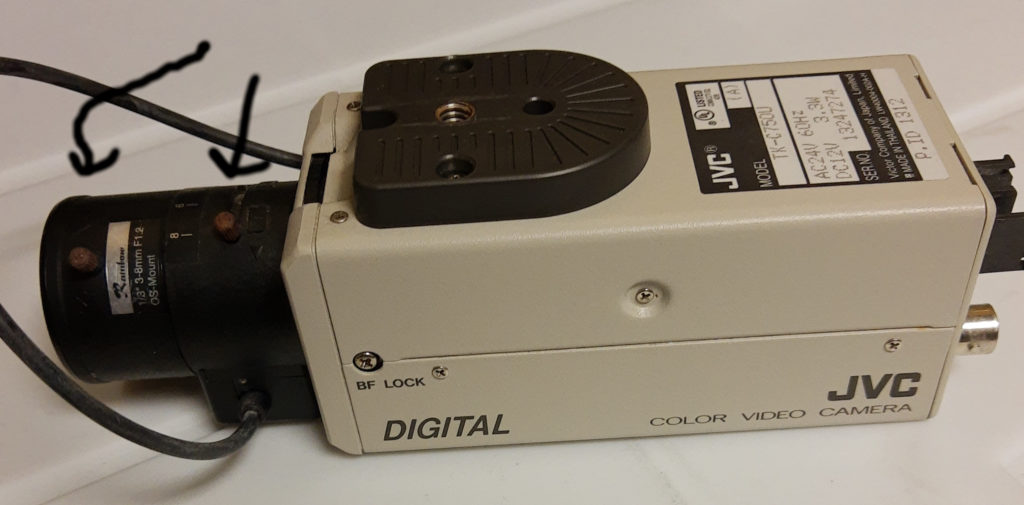
Back in August, August 23rd to be exact, the camera for wx.pelleys.com died in the afternoon. It was a nice warm day. The camera, a Panasonic TK-C750C, was about 10 years old. That’s a pretty good age given it is outside in an enclosure. The enclosure, actually the second one, has a heater and a fan for cooling, but in this environment (wind blown sea air) I’m not surprised failed. It looks like the sensor broke. The sea air actually croaded the chromed thumbscrews on the lens! The arrows point to the former silver thumbscrews.
I started my search but I couldn’t decide on whether to get another analog camera or go with a higher definition IP-based camera. As noted in my previous post, my dad got ill in September and then passed away in October.
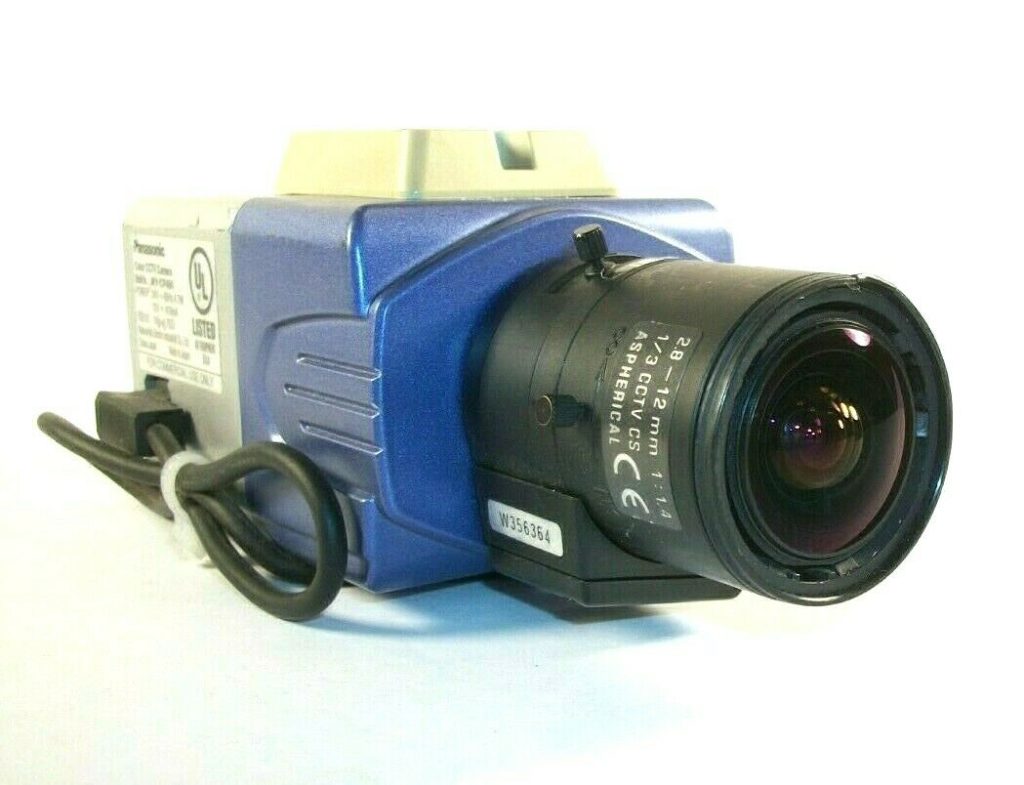
Finally, I got around to replacing the camera. The weather had to be decent (which we haven’t had for the past two week – rain, drizzle, fog and lots of wind) to replace it. I decided to cheap it out and went for another analog used camera. This time a Panasonic WV-CP484 with a 2.8-12mm lens. This lens has a slightly higher zoom than the old camera.
If I can get another 5 years out of this camera, I’ll be pleased.
Anyway wx.pelleys.com’s web cam is back up.
Back in August I posted on my latest updates to the home lab. At that time, I had added a new HP DL360p Gen8 to replace the old G7 for ESXi, added a UniFi Flex Mini for the office and replaced some of the old CAT5e “thick” cable with the Monoprice Cat6A SlimRun patch cables. I was planning some additional upgrades/replacement when my father fell ill in September and then passed away in October. Since dad died my sister and I have been quite consumed with being executors of his estate.
Since then, I have been able to make a few upgrades and replacements:
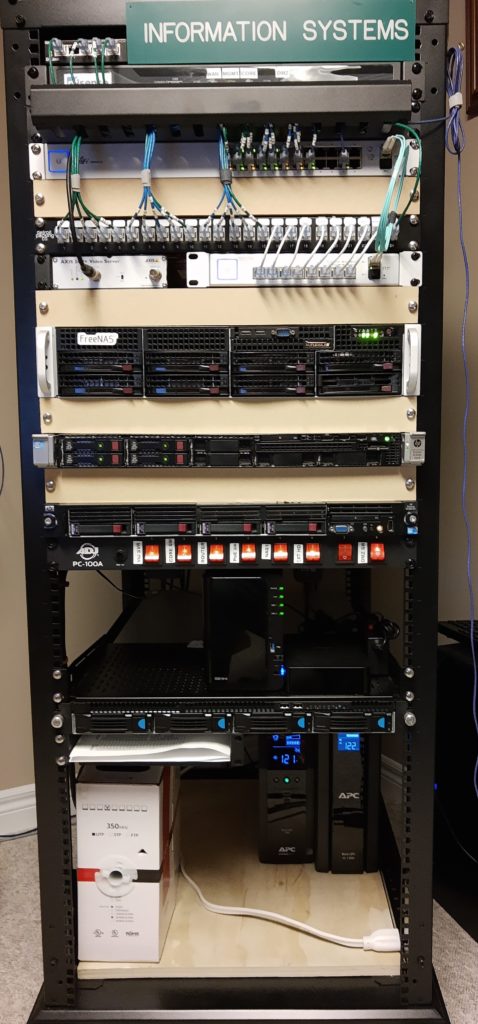
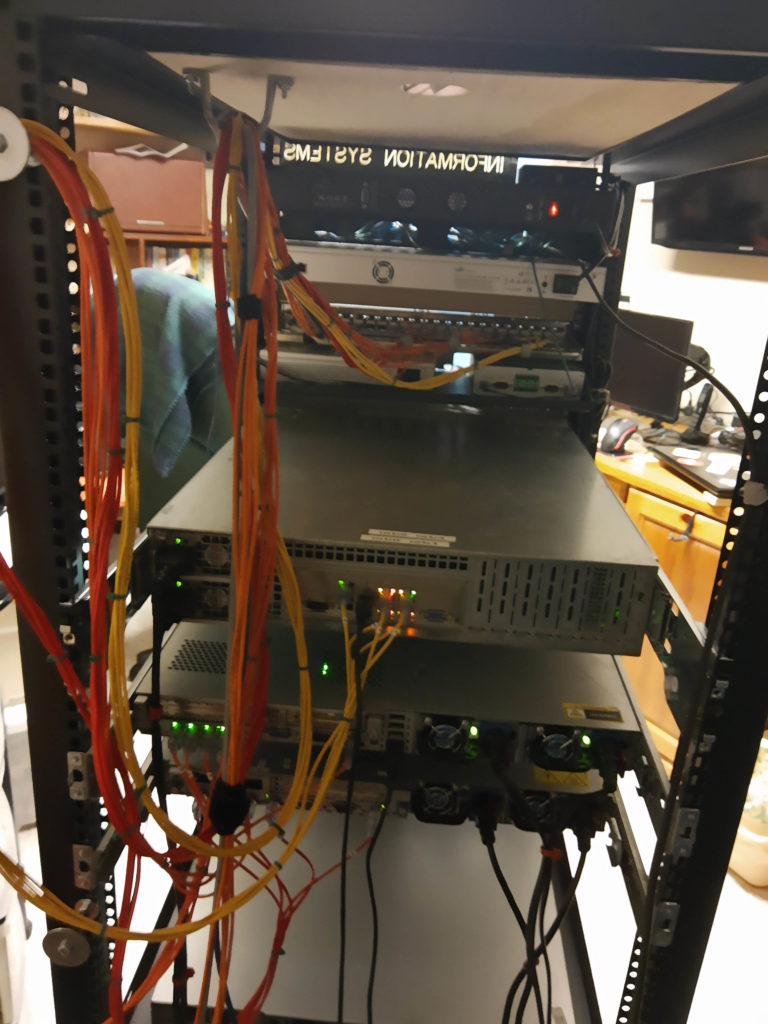
So, what’s next? I’m not quite sure. I was thinking about replacing the the Supermicro TrueNAS server with a HP DL380 Gen8. I like the HP BMC as it uses a HTML5 remote console instead of Java like the Supermicro. But, given that work-from-home/school-from-home enviornment that is likely to continue for some time, I’m thinking about redundancy. This is especially the case for the pfSense box. I can get away for a period of time replacing the Switch 24 (not without pain) but pfSense is another matter. I thinking about buying anothe box just like the one I have. If I buy a UniFi Switch 24 G2 and another pfSense box I’ll have perfect components for my home lab – moving PROD away from DEV 🙂
I have a bunch of weather station time lapse daily web cam files (found here: Historical 24-hour WX Timelapse Videos) where the date of the web page index is the day after. This has bugged me for the past three years, but it was one of those things to “get around to”.
I finally got “around to it” (after getting tired of experimenting with pfSense haproxy for now). So that I will remember how I did it, my code is:
#!/bin/bash
# Rename the file based on the modified date
#
# go through the list of .mp4 files
for file in *.mp4 ; do
# Part 1 - for each file get the modification date and put it in a string. $file needs double quotes
# due to spaces in the original
        part1="$(stat -c %Y "$file")"
# Part 2 - for each file add the destination location, format the new filename based on creation time (YYYY-MONTH-DD) and add the ".mp4" extension
        part2="fixed/$(echo "$part1" | awk '{ print strftime("%Y-%B-%d", $1)".mp4" }')"
# Uncomment this to test first :-)
#       echo $file " is now" $part2
# This is the actual move of the original file (double quotes due to the spaces in the filename) to
# the new directory. Use --preserve so the modification date doesn't change
        cp --preserve "$file" $part2
# All done
done
It may not be the prettiest, most efficient code, but it works.
Well, I’m almost at the end of the server/network upgrade for now. Since the last update, here’s where we are from the last update:
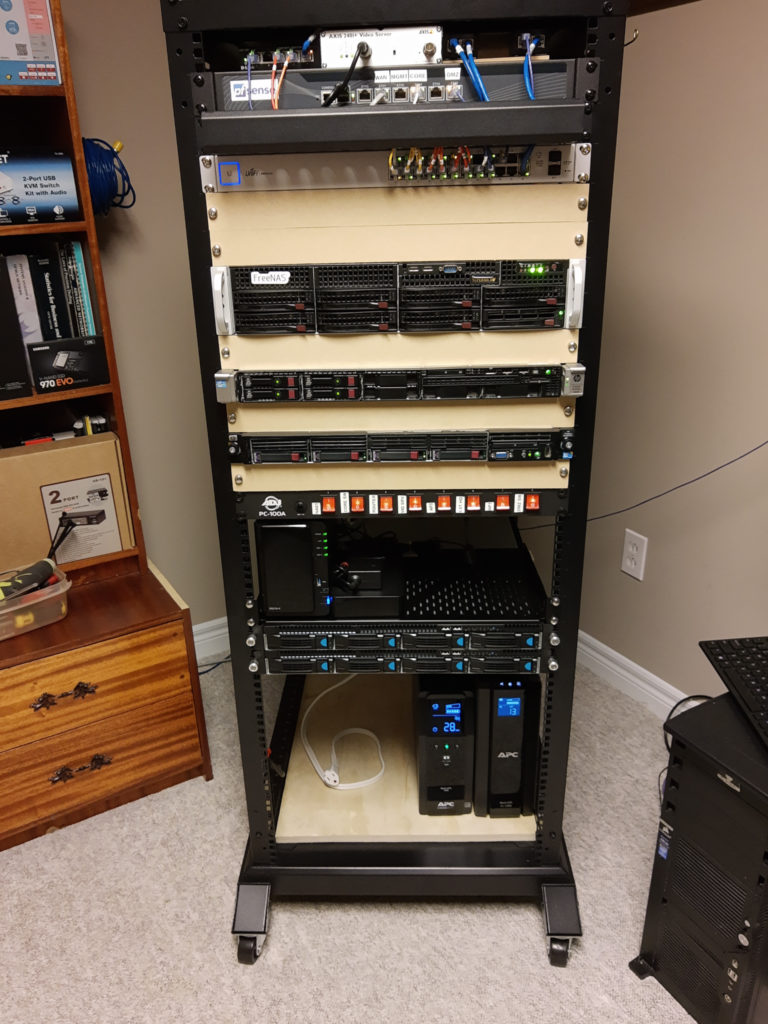
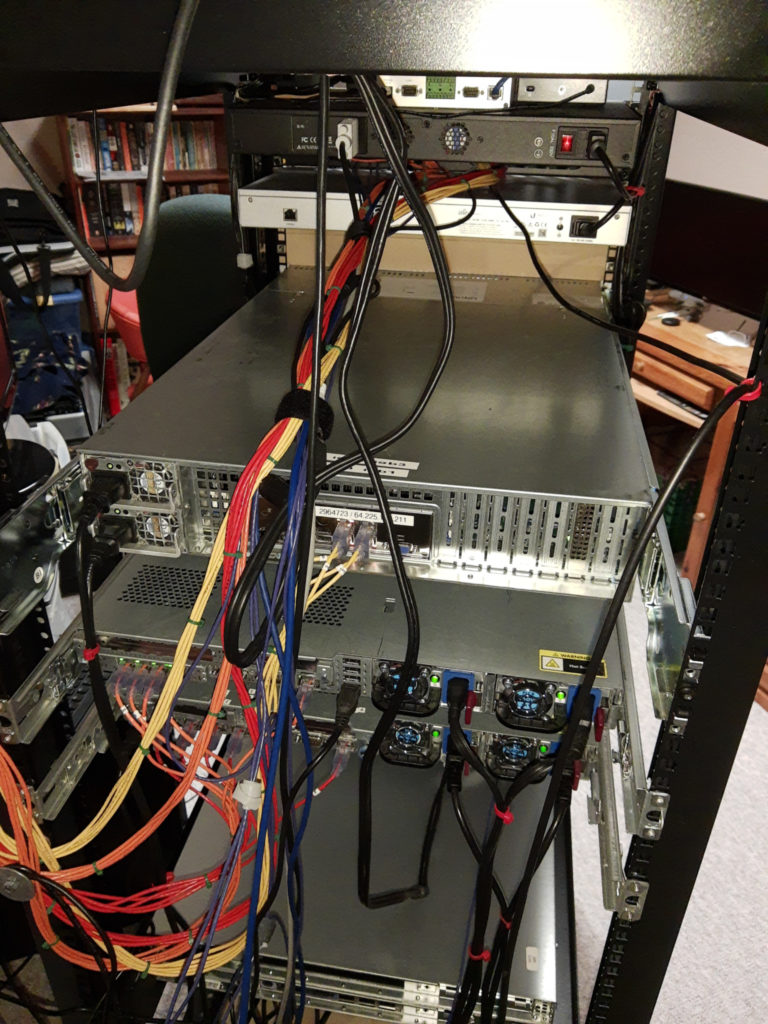
This is, as always, is maybe more of an aide-mémoire for me, but may be helpful if someone else is searching for a solution…
Here is the scenario: My UniFi devices are on a separate subnet from my UniFi Controller. The problem, if you will, with this configuration is that when a UniFi device looks for the UniFi Controller is that is cannot find the Controller on a different subnet.
There are a number of ways that this can be resolved (other than putting the Controller on the same subnet) as documented in UniFi – Device Adoption Methods for Remote UniFi Controllers. The option that I took, or maybe it is two options, is:
unifi to resolve to the UniFi Controller. That way when a device restarts (such as after a reboot, power loss) it can find the controller when it boots and executes the set-inform http://unifi:8080/inform. The hostname unifi will resolve to my UniFi Controller.01:04 to the hex version of the IP address of your UniFi Controller. Browserling has a page to convert the IP address to hex: Convert IP Address to Hex Format.One important thing to remember: If you statically set the IP addresses of your UniFi devices you will not get the DHCP Option 43 provided to the devices.
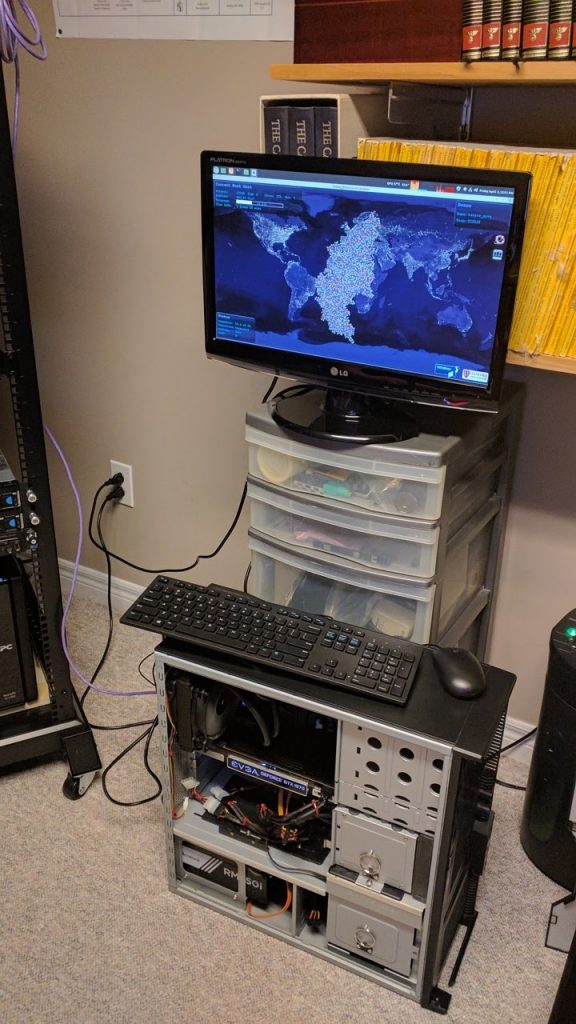
So, I’m working from home in my office and realized that I had my son’s old PC sitting in the corner. Later that night, I was watching Linus Tech Tips and watched a video on using Folding@Home to help find a cure for the COVID-19 (Corona) virus.
My son’s old PC is an Intel i7-4790K with 16 GB RAM and an EVGA GTX 1070 Superclocked graphics card with a Corsair RM750i power supply and H75 AIO cooler. That seems like a bit of a waste just sitting there.
I loaded up Linux Mint 19.3 on the Samsung Evo 850 500 GB SATA drive and joined LTT’s F@H team. (He’s also a Canadian so – Go Team Canada!)
Good thing it’s still cold outside. The CPU and GPU running at 100% could make it a little toasty…
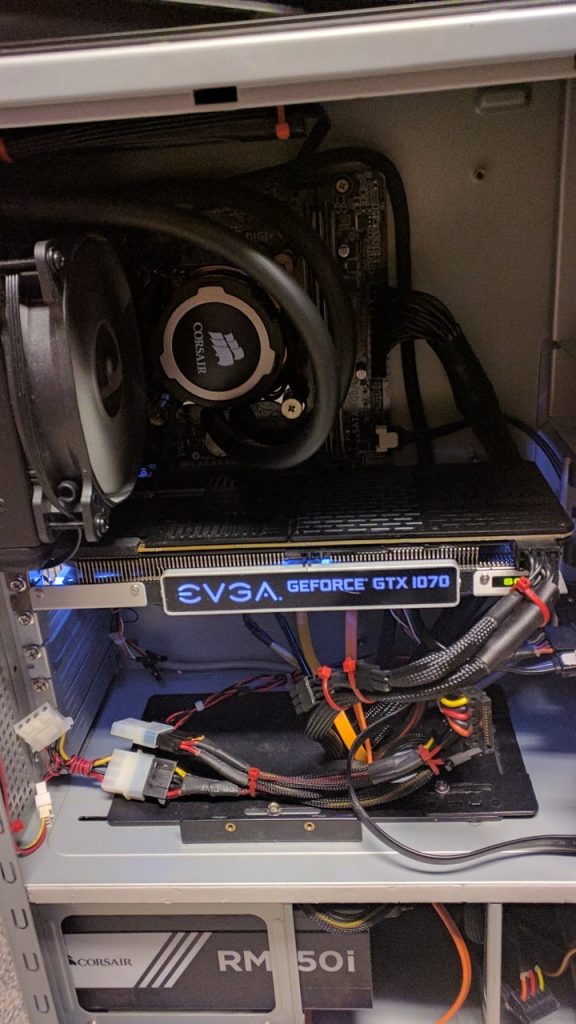
Quick Edit: A close-up view for the fellow geeks out there 🙂
If you look at the previous posts, you can see the old – in some cases, really old – network cables that I was using in the rack. Some of these were even older than my son! They were a mix of various lengths, colours, and ratings. Some were CAT5, some were CAT5A and a couple were even STP (Sheilded Twisted Pair) CAT5. Those STP cables are really stiff. I have no idea where I accumulated them over time.
I was looking to replace them not only because of their age and ratings but also because many of them were too short. It may seem strange that to make your wiring neat that being too short would be a problem. The issue is that you cannot route and arrange short lengths neatly or efficiently. As well, given that both servers are now using the appropriate sliding rails, you may not have enough length to pull a server out.
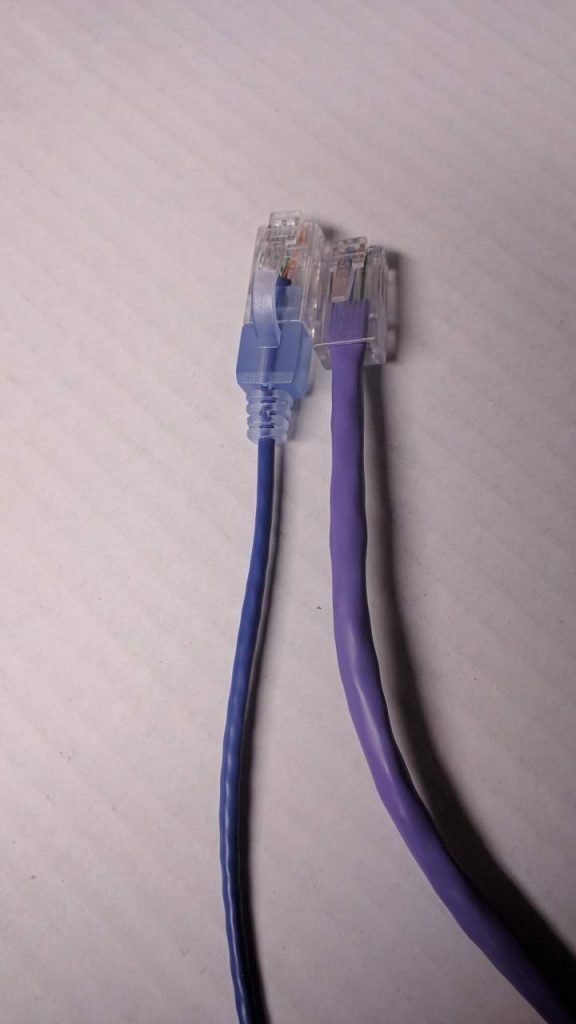
After looking around, I found some SlimRun CAT6A cables from Monoprice. These cables are really thin! Four of the SlimRun cables take up only slightly more space than the old CAT5 cables as you can see with the two types of cables next to each other.
These are great cables because they also have hoods so the clips don’t snag when pulling them through the rest of the cables. The hood also allow you to easily push the clip down when removing a cable.
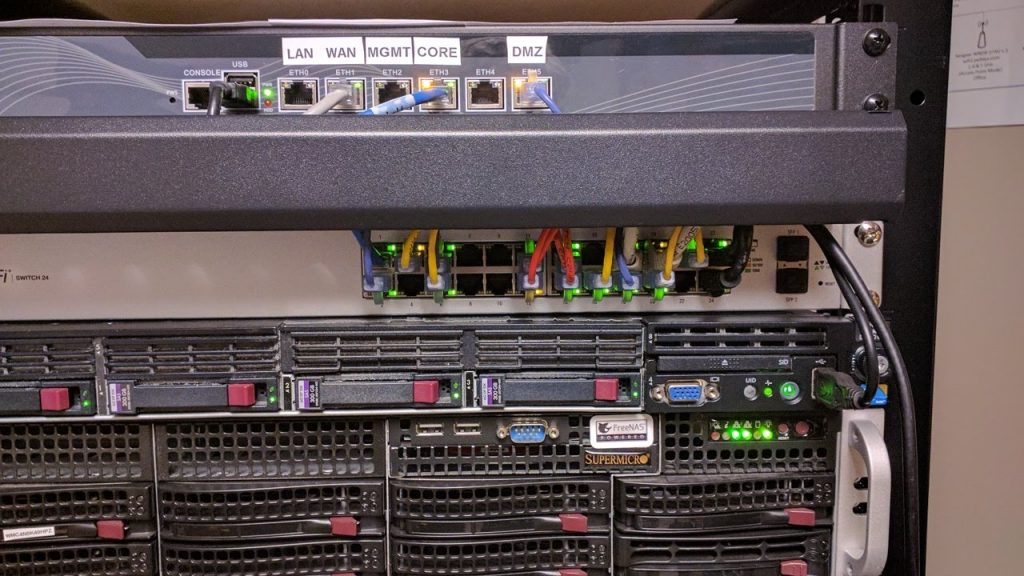
Now, this is much better. It is easy to route the cables through the loom and you can now see the switch’s indicator lights.
I bought three colours (3 sets of 5): red for the ESX server (that’s the DL360 G7 under the switch); yellow for the FreeNAS server (the Supermicro server under the DL360) and purple for everything else. (Why purple? I donno…)
All that is left is to replace the two keystone wall plate with a six keystone version to make get rid of the wires still hanging down from the ceiling.
In my previous posts, I noted that my homebuilt rack worked well execpt for two issues: (1) I was silly and went with telco threaded rails and (2) I neglected to add the 1/8th inch (3.2mm) thickness of each rail in the width between the 2×4 uprights; that is 1/4 inch (6.5 cm) too narrow.
That, of course, caused two problems. First, the rails for my Supermicro server are made for squre holes and could not be converted to use threaded holes. My DL360 does have adaptable rails whereby the studs could be removed and, with care, could have screws used – I had to line up the screw with the threaded rail holes as it was thread-to-thread between the vertial rails and DL360 rails. That meant that the Supermicro had to rest on top of the DL360. Not the best if I had to slide out either server.
The second problem was that even if I could have mounted the Supermicro rails, there was only a paper-thin gap between the Supermicro chassis and the rack’s rails. Grrr… I could have fixed that problem by taking everything out, getting the router out (after I found a router bit that was long enough for the 1.55 inch (4 cm) depth of the rail) and countersink the rails. I could not take the rack apart because I did such a good job with glue putting the rack together. I would also have to buy four new vertical rails. I couldn’t find 20U square hole rails anywhere and what I could find was 14U at over CDN$75.00 per pair. I would have to buy four (4!) pairs and cut two pairs down. That would be over CND$300.00 just for the rails. I could have search more but anyway…
I found on Amazon when I looking for the square-hole rails a rack from Raising Electronics similar to this one by Sunlight Machinery (they don’t have the 600mm depth rack listed right now) for just over CDN$200. IT was 27U, instead of 20U, but vertical space wasn’t a problem.
The Amazon comments noted that you need to chase out the threads before assembly because the power coating – which seems really good – was in the threads. I only had two of what seems like a hundred bolts/screws you need for assemby; so that wasn’t a big issue. The comments also noted that there alignment was not always perfect. Again, I only had two holes that didn’t line up perfectly; I think that they were the same ones that had a little powder coat in them. The biggest problem was the so-called assembly instructions. They are not assembly instructions; they are the exploded engineering view. And the diagrams are tiny. Did I say they were terrible?
Anyway, it took about an hour, with the help of my son, to assemble. It really is a two-person job.
It starts out like this:
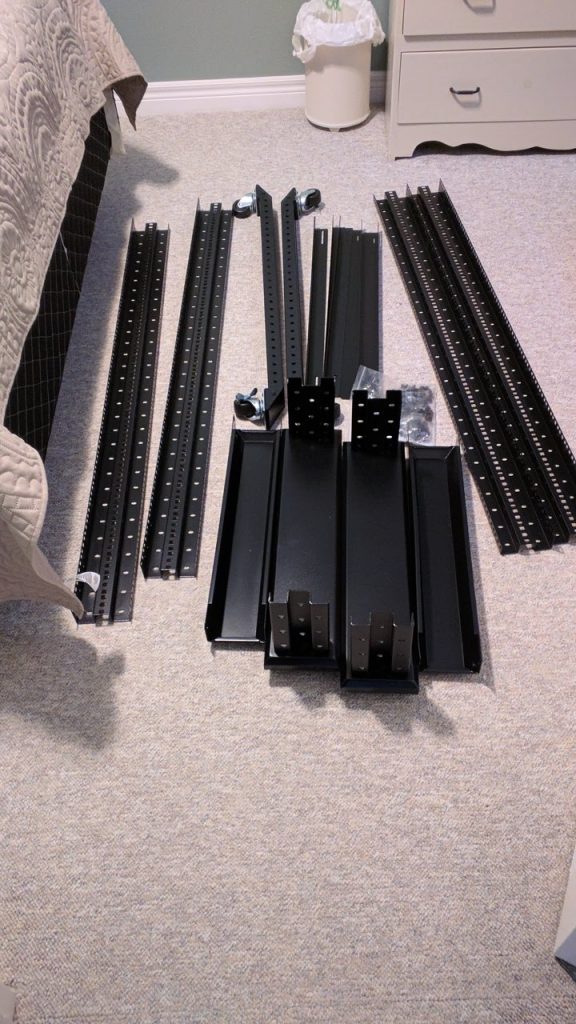
Once assembled it looks like this: You can see the Supermicro rails installed for testing. The shelf and the wire management are not included:

The next day, with the help of my son we stripped out all the equipment from my homemade rack. (I think he was eager to help when I mentioned all Interent access was going to be down until I had everything reassembled :-)). After about three hours of checking the mapping of server ports to switch ports it not looks like this. The one issue I has was that the I forgot that igb0 is on the bottom-left of the Supermicro NICs. Once that was done, everything was complete.
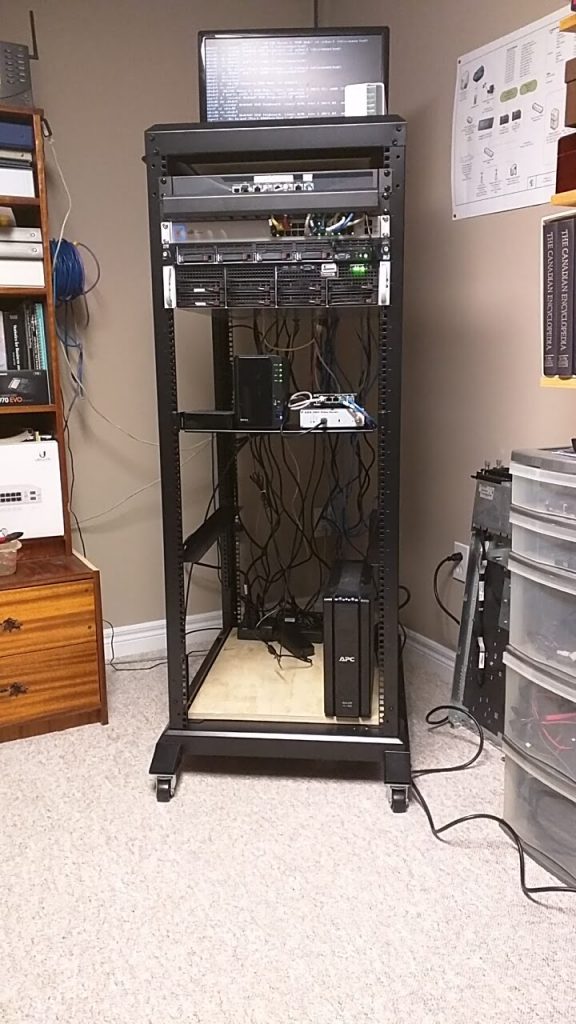
I still have to work on the vertical wire management which likely means that I need to get new network cables. That isn’t a bad thing because the new ones will be CAT6 and have some appropriate boots to keep the plugs from snagging on the other cables (and breaking off). The Supermicro bottom NICs have next to no room to apply pressure to depress a boot to remove the cable.
My netwok upgrade is not complete. The last two pieces were to replace the 1GigE switch in the TV room and the 10/100 Mbit/s switch in my son’s gaming room.
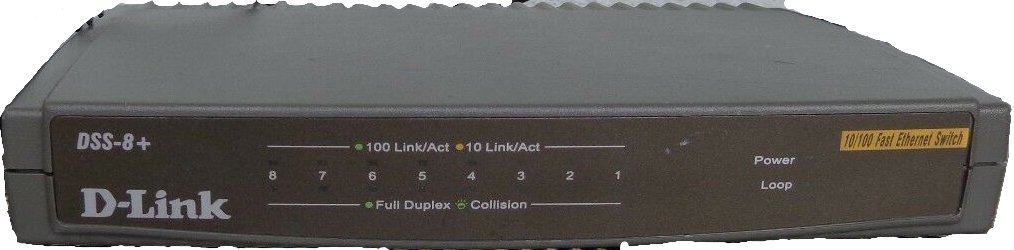 A few months ago, my son questioned why his gaming PC (i7-4970K, 16 GB RAM, GTX 1070 superclocked, GigE NIC) could only get about 97 Mbit/s. He knew that we have at least 500 Mbit/s bidirectionally. I finally fessed up and let him know that the switch that his PC (and the PS3, PS4 xbox 360) was an old D-Link DSS-8+. I mean really old; so old that I can’t even remember buying it. Actually, I think that it was a Christmas present.
The TV room had an more modern D-Link DSG-108G GigE switch. Thus, the old 10/100 Mbit/s switch connected to the GigE switch and then into the the UniFi Switch 24 because I had no easy way of running cable from the gaming room to the office (drywall instead of drop ceilings).
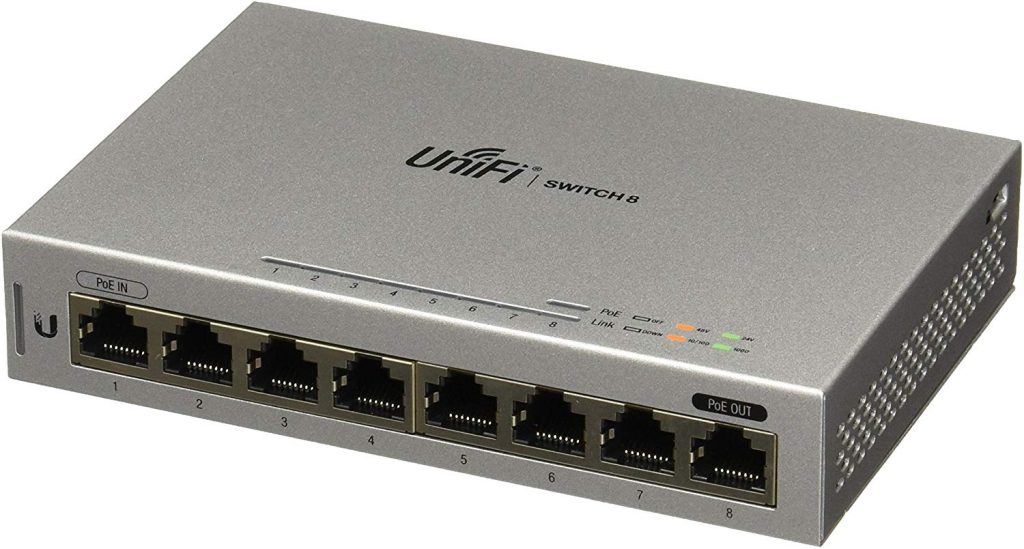
The solution, of course was more Ubiquiti UniFi gear. In this case, two UniFi US-8 non-PoE 8-port switches. I don’t need the full PoE swtiches (e.g. the US-8 60 watt or 150 watt switches). The US-8 does allow for PoE 48V Passive input to power it, and the US-8 will provide 48V Passive output using the included power adapter, it wouldn’t work over the run between the TV room and the gaming room. I don’t think that it is really supposed to work, anyway. It does work over a 30 cm patch cord, though.
Anyway, except for that old DSG-108G on my desk (two laptops and printer – I don’t want to backhaul 3 long cables from the desk to the UniFi Switch 24) and the 5-port GigE unmanged switch for the physical edge DMZ, everything is now UniFi.
The physical networking is now done. I still have some VLAN cleanup to do – move the IoIT devices onto the distrusted network (“untrusted” ain’t a real word, apparently). Everything is done now except a new cable run and a new, real rack. My birthday is coming up in a couple of months…